

EZ Data Logger
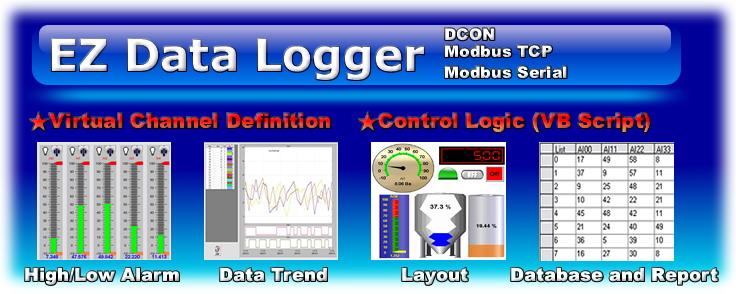

EZ Data Logger es un software de adquisición y registro de datos para los módulos I-7000, M-7000, I-8000, módulos ET, módulos tM, G-4500, GT-540, entre otros. Puede ser aplicado a sistemas remotos de E/S. Con su interfaz amigable los usuarios pueden hacer un programa de adquisición de datos fácil y rápidamente sin conocimientos avanzados de programación.
- Compatible con los protocolos DCON, Modbus RTU, Modbus ASCII, Modbus TCP.
- Soporta mútiples puertos COM Ports y conexiones TCP/IP.
- Compatible con puerto COM virtual (máximo 32 Canales para la versión gratuita).
- Soporta Lógica de control por ejemplo VB Script, C, C++, etc.
- Configuración sencilla de los módulos: cada módulo y punto de E/S puede ser configurado individualmente.
- Creación de grupos de trabajo que le permitirán al usuario una mejor organización y control de su proyecto.
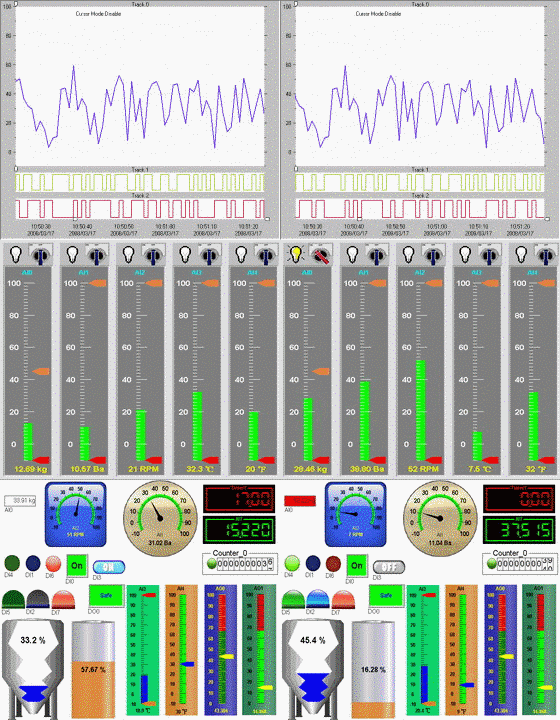
- Función "Tendencias de datos en tiempo real" (con zoom in y zoom out: cada línea de tendencia puede guardar mas de 86400 registros).
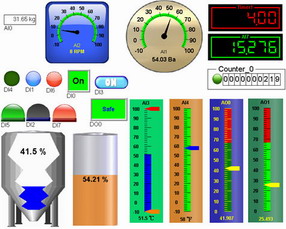
- Función "Layout": El usuario puede colocar imágenes prediseñadas o drag-drop para crear un sistema SCADA y monitorear las variables de su proyecto.
- Creación y manipulación de bases de datos que pueden ser exportadas a formato de Excel, CVS, Access, etc.
- Creación de reportes para enviar mediante correo electrónico, SMS (se requiere módem GSM) o mostrar en pantalla.
- Alarma audible configurable con niveles Alto/Bajo la cual mantiene su estado hasta que el valor a medir sea menor al límite de
- alarma establecido. Estas alarmas también pueden ser enviadas mediante correo electrónico, SMS (se requiere módem GSM) o mostrar en pantalla.
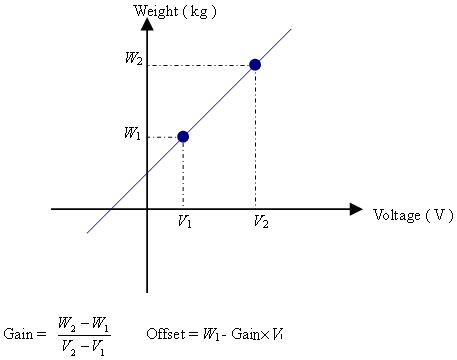
- Linealización de valores, lo que le permite al usuario configurar la ganancia y el offset para escalar valores de las distintas variables de su proyecto.
- No requiere conocimiento avanzado en programación.
- Módulos DCON (Serie I-7000, I-87K, I-8000)
- Módulos I-7000
- Módulos I-8000
- Modbus/TCP
- I-8000E-MTCP
- I-8000E-MTCP
- Módulos ET
- Controladores ISaGRAF ( I-8417/8817/8437/8837, I-7188EG, I-7188XG, Wincon-8x37 )
- 7188E-MTCP
- Modbus/RTU
- Serie M-7000
- Dispositivos con protocolos Modbus RTU, Modbus ASCII, Modbus TCP
- Hasta 32 canales para cada grupo de trabajo.
- Se requiere un dispositivo Modbus (TCP o RTU) para activar los drivers modbus del software.
- Compatible con Windows 7/Vista/XP/2000/NT/98.
Q & A
- Q1.¿Cómo muestro los valores analógicos en otra unidad, por ejemplo en kg?
Configurando la ganancia y el offset se puede escalar los valores a cualquier unidad que se requiera. Para obtener la ganancia y offset exactos, tienes que obtener dos valores primero, y después utilizar el método de seguimiento para obtener el siguiente método y obtener el resultado final. Configura la ganancia y el offset en Configuración de Grupo.
- Q2.¿Cómo activo el driver Modbus?
Cuando instalas drivers Modbus, tienes que conectar al menos un dispositivo Modbus a los drivers Modbus activos. Después los drivers modbus pueden accesar a otros dispositivos modbus como un PLC... El siguiente dispositivo puede ser conctado para activar todo el driver Modbus. Los módulos seriales M7000, i-7188EX-MTCP, ET-6000, controladores ISaGRAF ( i-8417/8817/8437/8837, i-7188EG, i-7188XG, Wincon-8x37 )
Specifications
| Communication | |
| Protocols | DCON, Modbus RTU, Modbus ASCII, and Modbus TCP |
| Control & Logic | |
| Virtual Channel Definition | The user can easily consolodate data into a virtual channel by tagging channel names. For example: VC3 = (AI_2 + AI_3) / 2 |
| Control Logic (VB Script) | TThe user can edit the script to set the output values or to calculate data into virtual channels. You can set the channel values by channel tag names. For example: If AI_2 > 50 then DO_3=1 |
| Alarm Notifier (by sending SMS or E-mail) | The user can link a cell phone number and email address with the data logger values. When the channel value is over the alarm value, or when the value goes back to normal, the messenger will send an SMS message (using GSM Modem with PDU mode supported) or by E-mail (using ethernet). |
| Value Conversion | Set gain and offset can convert analog values from volt or amp unit to another physical measurement unit. This includes using a calculating function(using 2 points to calculate the gain and offset). For example: rpm for rotation, kg for weight. |
| Configuration | |
| No Programming Needed! | All operations are done by the click of a mouse and entering values. |
| Flexible module configuration | Each module and I/O point can be set to a different description and color. |
| Flexible workgroup configuration | Each channel can be assigned to a workgroup for easier organization. |
| Module Search | The user can search for DCON and M7000 serial modules - For DCON modules,7000, 87K, 8000 modules can be searched. For Modbus RTU modules,M7000 serial modules can be searched and can automatically set the gain and offset. |
| High/Low alarm with audio warning | Each AI channel can have its own high/low limit. Once the AI value over high limit or below low limit, the alarm light will be triggered with audio. The alarm status will keep warning until the user switches off the alarm light. |
| Views | |
| Real time data trend (with zoom in and zoom out) | Each trend line can store more than 86400 records. Using this, you can visualize your data on a graph. |
| Layout view | The user can set a background picture and drag-and-drop I/O points to mapping locations. User can also change the visual channel layout object as Linear Gauge, Angular Gauge, Toggle, Number LED... |
| IP Camera Viewer | The user can add an IP camera's web address, and then add it to group. Then the layout display will show the web page in a sub window. |
| Access database & SQL supported | The database can be exported to an Excel file or CVS file. |
| Print Reports | The user can print reports from the trend line or data from the database. |
Specifications
| Admin | Power User | User | |
| Modify the project | ● | ○ | ○ |
| Account management | ● | ○ | ○ |
| Start/Stop projects | ● | ● | ○ |
| Set AO/DO values | ● | ● | ○ |
| Switching group pages | ● | ● | ● |
● allowed ○ not allowed
| Features | Basic Edition | Advanced Edition |
| Time Limit | No | No |
| Number of Virtual Channels | 32 | 256 |
| Control Logic | Enabled | Enabled |
| Number of Web Cameras | 1 | 10 |
| Alarm contacts to(email or SMS) | 2 | 10 |
| IO Tag Number | 64 | 1024 |
| License key | Free with Registration Get License Key | Registration with product serial number, PC ID Code, and personal information to get a license key. Each product serial number can request 3 license keys for 3 PC. Get License Key |
| Price | FREE | |
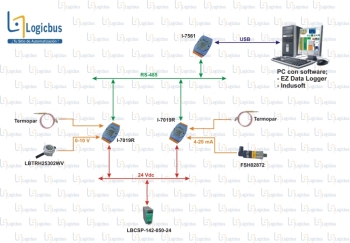
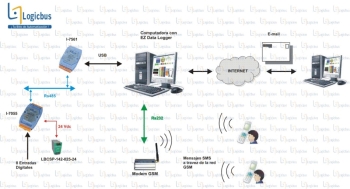
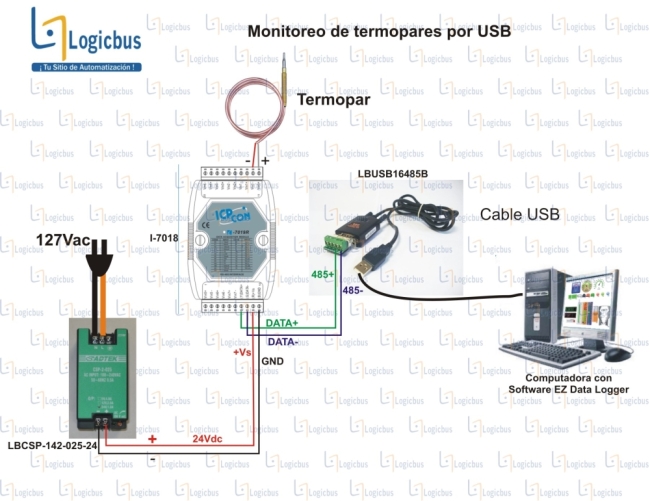
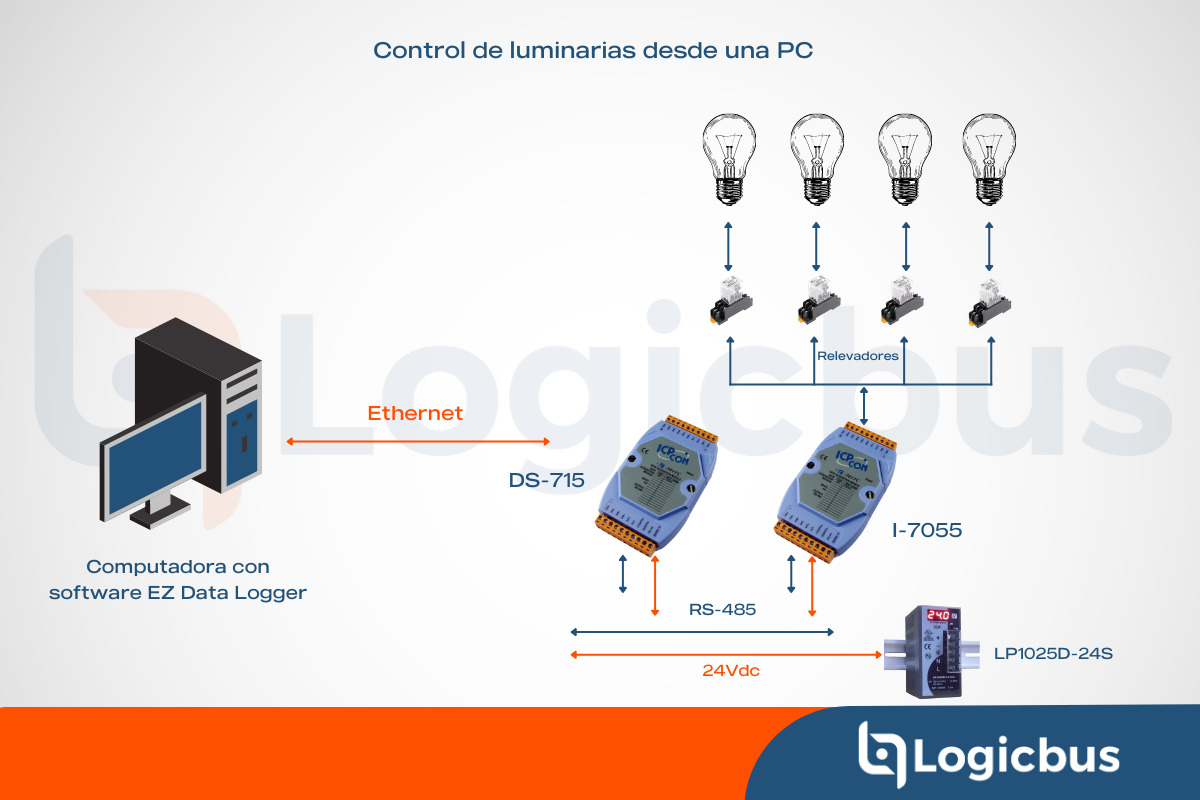
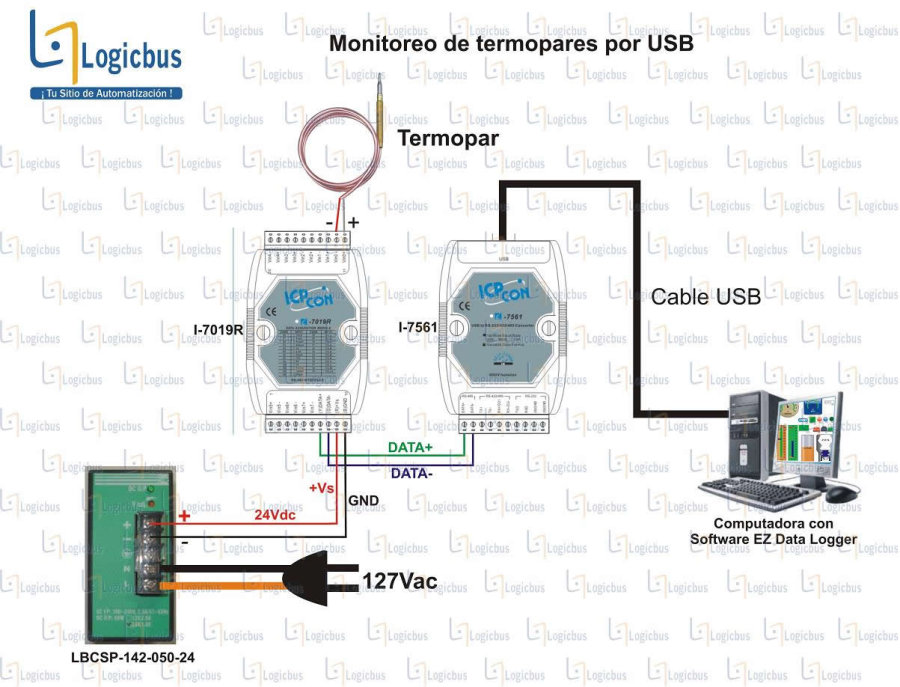
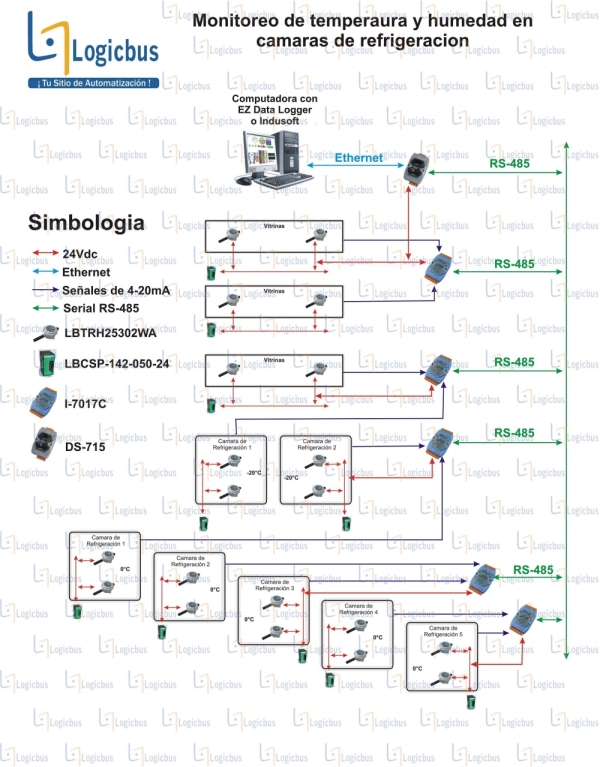
Ejemplos de esquemas de conexión